3D Coin Rotation
After Effects Project File Breakdown
1. Project Overview
Project Type: Short motion / 3D logo-style animation
Duration: Short loop
Primary Tool: Adobe After Effects
Project File: 3D coin.aepAssets Used
PNG logo file
Background video (
Untitled design.mp4)
What this project represents:
A simple, high-polish animation focused on smooth motion and visual depth.
2. Objective
The goal was to create a clean, premium-looking 3D coin rotation that feels smooth, modern, and visually rich, suitable for use as a brand element, intro, or visual accent.
This project prioritizes:
Motion smoothness
Lighting and depth
Minimal but intentional effects
3. Motion Approach
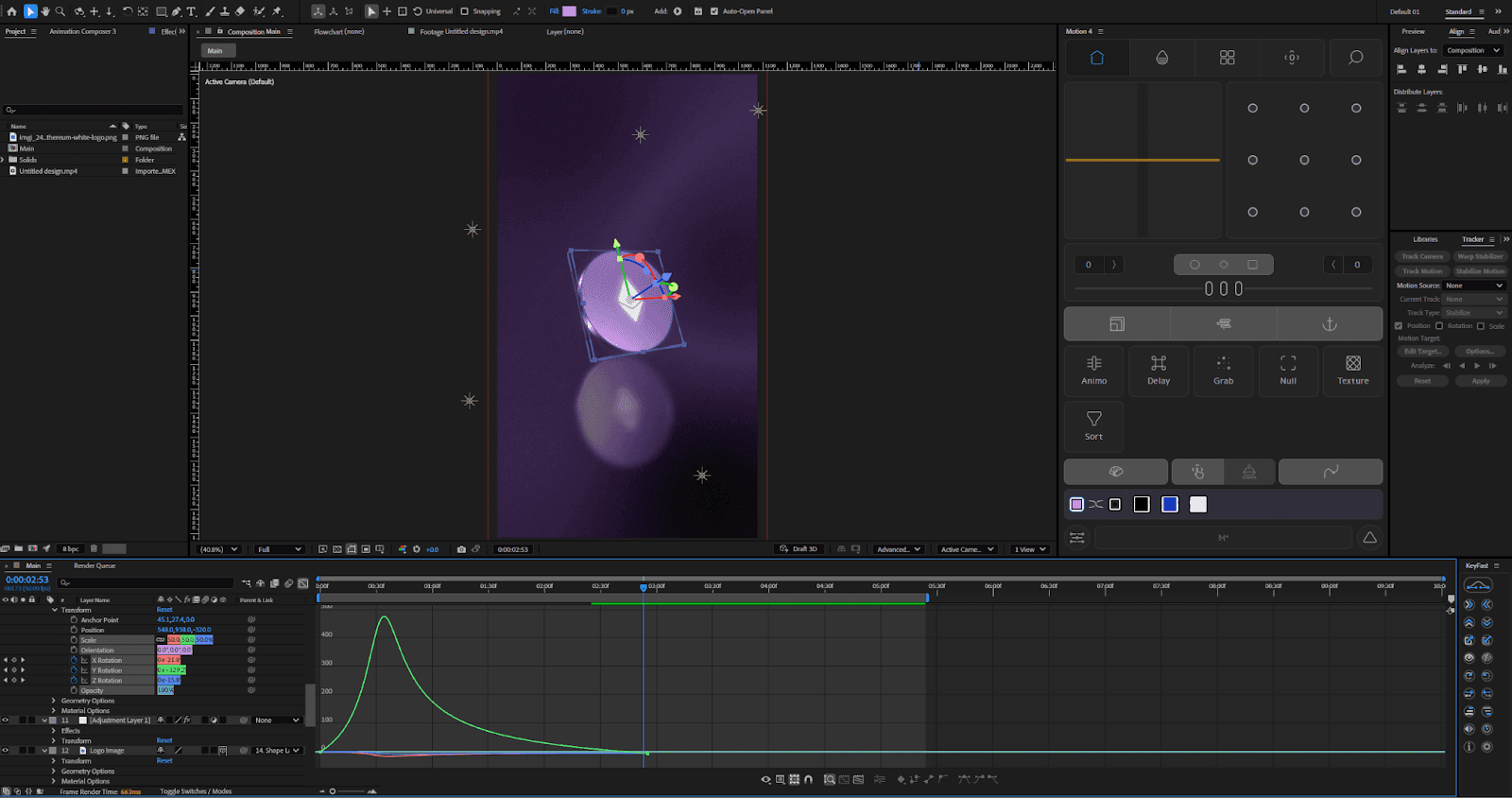
The animation is built around one core movement: a continuous, smooth rotation of the coin. Instead of adding multiple motion elements, the focus was on:
Consistent rotation speed
Stable camera framing
Subtle lighting changes to enhance depth
This restraint helps the animation feel premium rather than overworked.
4. Key Animation Decisions
Single-axis rotation:
The coin rotates smoothly without sudden acceleration or direction changes, maintaining a calm, high-end feel.No aggressive camera movement:
Keeping the camera stable helps avoid distractions and keeps attention focused on the form and material.Loop-friendly timing:
The rotation is designed to loop seamlessly, making it reusable across placements
5. Effects & Visual Treatment
The following effects were used to enhance realism and polish:
CC Glass – to add surface depth and highlights
Deep Glow 2 – for subtle glow and light bloom
Fast Box Blur – to soften reflections and background elements
Noise – to reduce banding and add texture
Tritone – for controlled color styling
These effects were kept subtle; none are meant to stand out individually.
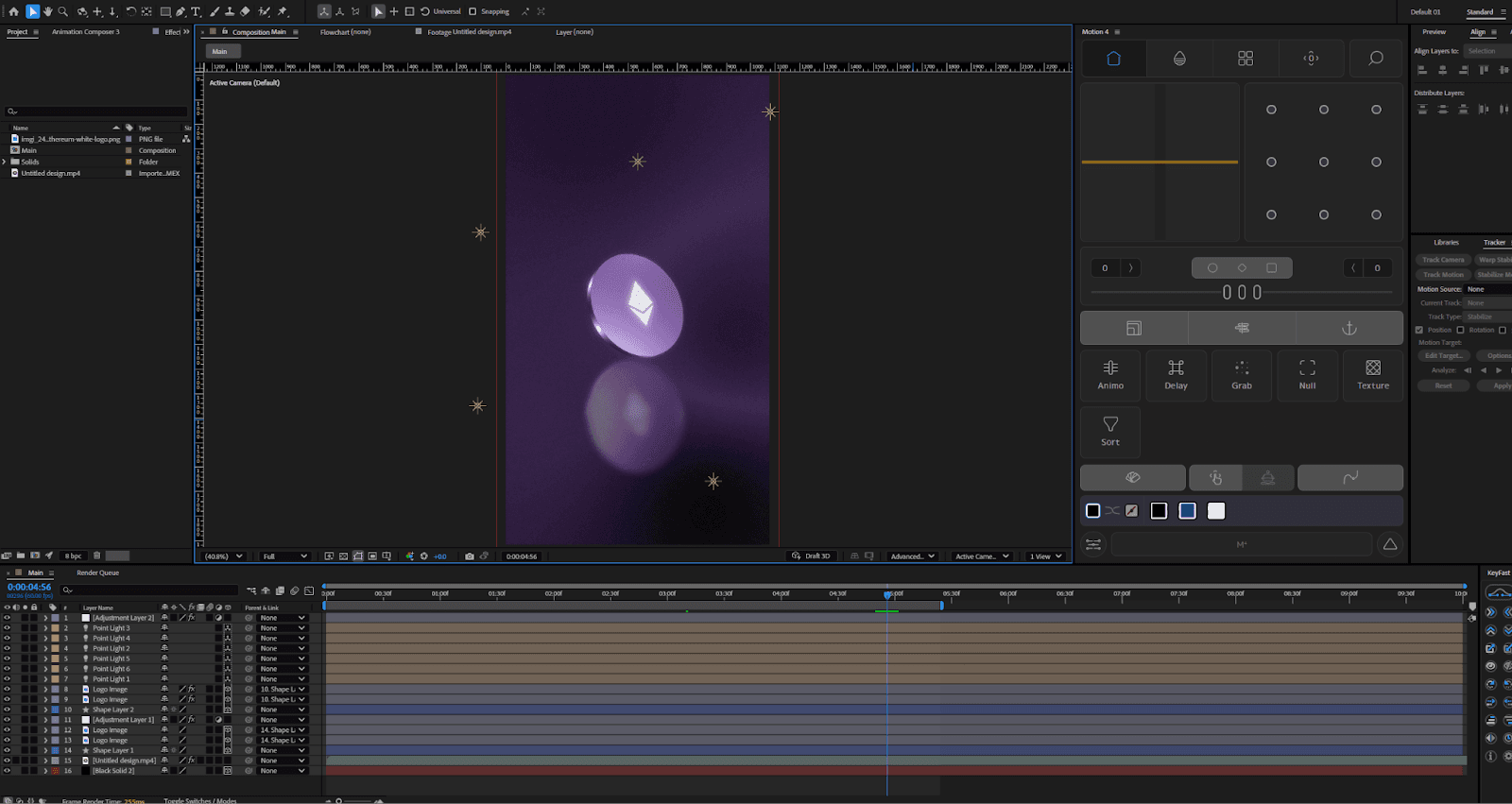
6. Timeline & Layer Structure
The timeline is intentionally simple:
One main 3D object (coin)
Supporting light layers
Minimal adjustment layers for effects
This structure makes the project:
Easy to understand
Easy to modify
Easy to reuse or extend
7. Common Mistakes to Avoid
Over-rotating or changing speed mid-animation
Adding unnecessary camera moves
Overusing glow or blur effects
Making lighting changes too dramatic
Small animations rely on control, not complexity.
8. Key Takeaways
Simple animations still require intentional decisions
Smooth motion and restraint create a premium feel
Clean timelines are easier to scale and reuse
Not every project needs complex motion to look professional